 Power
Should you stop charging at 80%?
You've probably heard that you should keep your phone between 20% and 80%. There's real chemistry behind it, but it isn't all-or-nothing, and heat matters at least as much. Here's what actually wears a battery, and how to protect yours without making your phone harder to live with.
In short
- Lithium-ion batteries wear fastest when they're full and warm for long periods.
- Stopping at 80% helps most when the phone would otherwise sit at 100% for hours, such as overnight or plugged in at a desk.
- Heat is the other big factor. Avoid charging in hot places or while gaming.
- Many phones have a built-in limit. Use it if you have one. A 100% charge before a long day is fine.
Why full batteries wear faster
A lithium-ion battery ages in two ways at once:
- Cycle ageing: every bit of charge that goes in and out causes a little wear. A “cycle” is 100% worth of charge in total, so two 50% charges count as one cycle.
- Calendar ageing: the battery wears even when it's just sitting there. This is much faster when it's at a high charge level and much faster when it's warm.
Near 100%, the battery is at its highest voltage. That speeds up the chemical side reactions that slowly use up its capacity. Keep it there for hours, warm, day after day, and the wear adds up. A battery that spends most of its time in the middle of its range ages more slowly.
The other end matters too. Running the battery down to 0% often is also stressful. The middle of the range, roughly 20% to 80%, is the gentlest.
So is 80% worth it?
Yes, when your phone would otherwise sit full for a long time. If you charge overnight, the phone reaches 100% in an hour or two and then waits there for hours. Limiting that to 80% removes most of the time spent at high voltage.
Less so when you unplug as soon as it's full. If you charge for an hour in the morning and start using the phone straight away, the battery barely sits at 100% anyway.
The trade-off is a fifth less battery each day. If you need every percent, for travel or a long day out, charge to 100%. An occasional full charge does very little harm. Habits matter, not single charges.
Heat matters as much as the limit
High temperatures speed up battery wear more than almost anything else, and charging generates heat. To keep things cool:
- Don't charge under a pillow, on a bed or sofa, or in direct sun.
- Avoid charging in a hot car, and avoid gaming or navigation on the charger for long stretches.
- Take off a thick case if the phone gets hot while charging.
- Fast charging and wireless charging produce more heat. They're fine, but when there's no hurry, such as overnight, a slower charge is gentler.
Use your phone's built-in limit
Android apps can't stop a phone from charging. Only the phone's own system can. Many phones now have a setting for this, under Settings → Battery. The names vary by brand and Android version:
- Google Pixel: Adaptive charging holds around 80% overnight and finishes just before your alarm. Recent Pixels also offer a fixed limit to 80% under the charging optimisation options.
- Samsung Galaxy: Battery protection (or Protect battery on older versions) can stop charging at 80% or 85%, depending on the One UI version.
- Other brands: look for settings called Optimized charging, Smart charging or Battery protection.
If your phone has no limit, an alarm at 80% that reminds you to unplug does the same job by hand.
Myths you can ignore
- “Fully drain it once a month to calibrate.” Not needed for lithium-ion batteries, and it adds wear. If the percentage seems off, a normal full charge is enough.
- “Batteries have a memory.” That was true of old nickel batteries. Lithium-ion has no memory effect, so topping up often is fine.
- “Charging overnight will damage it.” Phones stop charging when full, so it isn't dangerous. It does keep the battery at 100% for hours, which is exactly what a charge limit or Adaptive charging is for.
- “Only use the original charger.” Any good-quality charger that supports your phone's standard (USB Power Delivery for most current phones) is fine. Avoid cheap, uncertified ones.
How PowerTailor helps
- 80% charge alarm to remind you to unplug, at a level of your choice with Pro
- Heat warnings while charging
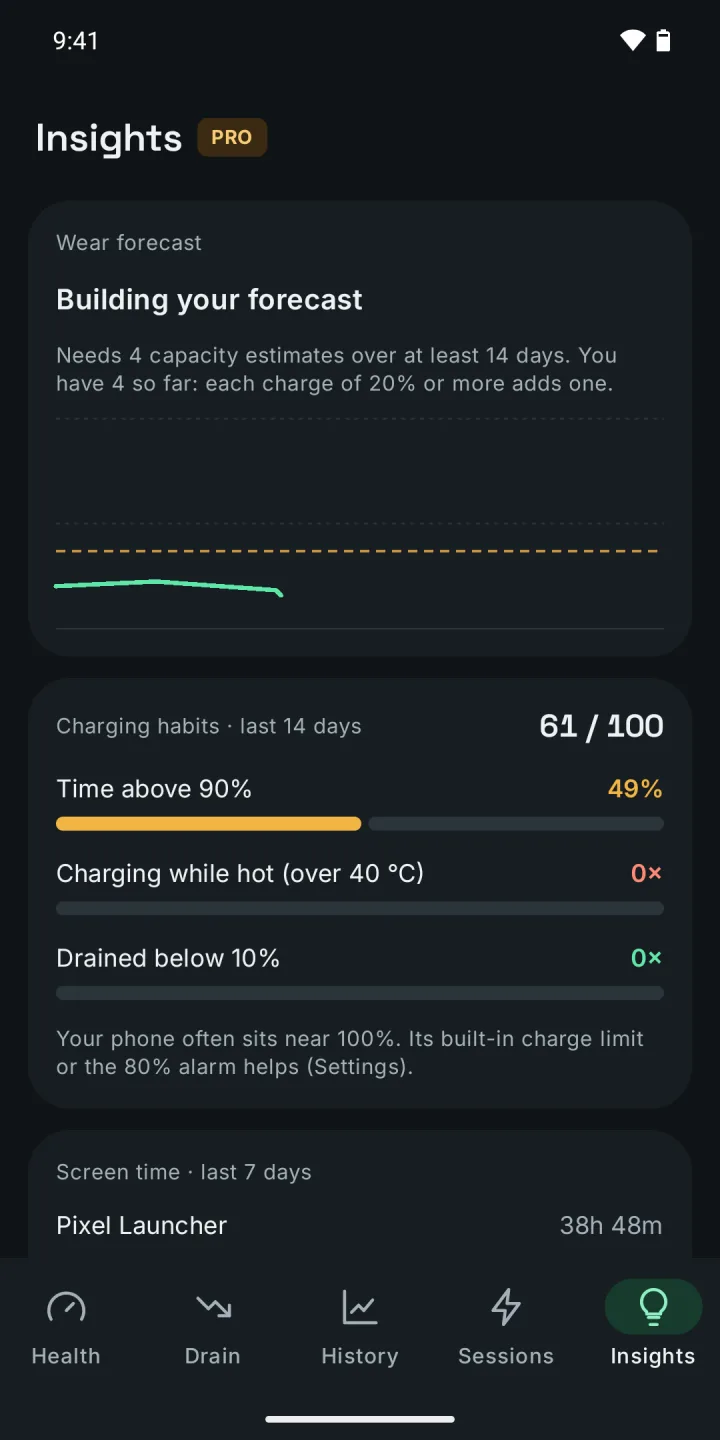
- Charging habits (Pro): how much time your phone spends above 90%, how often it charged while hot, and how often it drained below 10%
- A wear forecast (Pro), so you can see whether your habits are slowing the decline